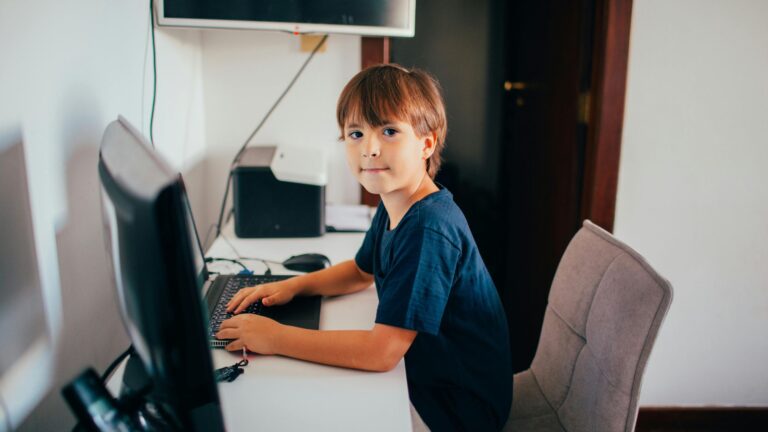
Essential Guide to Preparing for a New School Year in Teletherapy
As a speech-language pathologist, getting ready for teletherapy in school (especially in the new year) can feel exciting and overwhelming. You might wonder where to…
As a speech-language pathologist, getting ready for teletherapy in school (especially in the new year) can feel exciting and overwhelming. You might wonder where to start with your online sessions. Don’t worry – we’ve got you covered.
To prepare for teletherapy in school, set up a quiet workspace, test your tech, and gather digital materials. Make sure you have a good internet connection and a comfortable spot to see your students on screen. Familiarize yourself with the teletherapy platform you’ll be using.
Think about how to make your virtual sessions engaging for students. Create fun digital activities and games that work well online. You can also reach out to parents to help them get their kids ready for teletherapy. With some planning, you’ll be set for a great year of online speech therapy.
Understanding Teletherapy in School Settings
Teletherapy lets students get therapy services online. It uses video calls and digital tools to connect students with therapists. This method has both good points and challenges for schools.
Defining Teletherapy
Teletherapy is therapy done through video calls. Students talk to their therapist on a computer or tablet. They can do this from home or a quiet spot at school.
Teletherapy includes:
- Speech therapy
- Mental health counseling
- Occupational therapy
Therapists use special software to do activities with students. They might play games, show pictures, or do exercises together online.
Benefits of Teletherapy in School
Teletherapy in school helps more students get the care they need. You don’t have to travel, so it saves time. This means students miss less class.
Some benefits are:
- Flexible scheduling
- Access to specialists not in your area
- Less missed appointments
- Privacy for students who feel shy
It’s also good for rural schools. They can offer services they couldn’t before. Parents can join sessions easily too. This helps them learn how to support their child at home.
Challenges and Solutions
Now, teletherapy in school has some tricky parts. But there are ways to fix them. Common challenges:
- Tech problems
- Keeping students focused
- Doing physical tasks online
To help with tech, schools can:
- Give training to staff and families
- Have a tech support person ready
- Use simple, reliable software
For focus, try:
- Short sessions
- Fun digital activities
- Breaks for movement
Some physical tasks are hard online. Therapists can send home kits with tools. They can also teach parents to help with hands-on parts.

Setting Up the Teletherapy Environment
A good teletherapy setup is key for success. You’ll need the right tech, an engaging space, and proper privacy measures.
Technical Requirements
First, check your internet speed. You need at least 5 Mbps upload and download for clear video calls. Use a wired connection if possible for more stability. Get a good webcam and microphone. Built-in laptop cameras often have poor quality. An external 1080p webcam will make you look more professional.
Make sure you have enough light. Face a window or use a ring light to brighten your face. Avoid backlighting that can make you hard to see. Test your equipment before sessions. Do a trial run with a colleague to work out any kinks.
Creating an Engaging Virtual Space
Choose a quiet room with a plain background. Remove clutter that could distract students.
Set up your camera at eye level. This helps create a more natural feeling of eye contact.
Organize therapy materials within reach. Have physical props ready to show on camera.
Use virtual backgrounds carefully. They can be fun but may glitch or distract from therapy.
Consider adding a small plant or artwork to make the space feel welcoming.
Privacy and Security Considerations
Use a HIPAA-compliant video platform. Popular options include Zoom for Healthcare and VSee.
Wear headphones to keep student responses private. This prevents others from overhearing.
Lock your door during sessions. Put up a “Do Not Disturb” sign to avoid interruptions.
Use strong passwords and two-factor authentication on all accounts.
Store any session notes or recordings securely. Use encrypted cloud storage or password-protected files.
Preparation Strategies for Therapists
Getting ready for teletherapy in school takes planning. You’ll need to focus on key areas to set yourself up for success.
Training and Professional Development
Start by updating your teletherapy skills. Take online courses on digital platforms and tools. Learn about new therapy techniques for virtual sessions. Join webinars on engaging students remotely. Brush up on privacy and security best practices for online therapy. Stay current on laws and ethics for telehealth.
Network with other school therapists. Share tips and resources for teletherapy. Consider joining professional associations for ongoing learning.
Therapeutic Approaches and Techniques
Adapt your therapy methods for online sessions. Explore digital versions of traditional tools and activities. Find engaging online games and exercises for students. Create a library of digital resources. Collect worksheets, videos, and interactive materials. Organize them for easy access during sessions.
Practice using screen sharing and virtual whiteboards. Get comfortable with breakout rooms for group therapy. Test different camera angles and lighting setups.
Time Management and Scheduling
Set up a system to track appointments and tasks. Use digital calendars with reminders. Create templates for session notes and reports.
Plan buffer time between sessions for tech issues. Schedule breaks to avoid screen fatigue.
Make a daily routine with set work hours. Include time for prep work and follow-up tasks.
Block out time for self-care activities. Regular breaks can help you stay focused and energized.

Student Engagement for Teletherapy in school
Keeping students engaged during online therapy sessions is key to success. Try these tips to boost participation and make sessions fun and effective.
Building Rapport Online
Start each session with a quick chat to connect with your student. Ask about their day or interests. Use fun virtual backgrounds that match the therapy theme. Play simple games like “I Spy” or “20 Questions” to break the ice. Share appropriate personal stories to help students relate to you. Be patient and give extra time for responses, as online interactions can have slight delays. Smile and use a warm tone of voice to create a welcoming atmosphere.
Use emojis or reaction buttons in the chat to show you’re listening. Give lots of praise and encouragement throughout the session.
Interactive Tools and Resources
Use digital whiteboards for collaborative activities. Share your screen to play educational games or use interactive worksheets. Try virtual dice or spinners to add an element of chance to activities. Explore text-to-speech tools for reading practice. Use polls or quizzes to check understanding in a fun way. Try digital reward systems like virtual sticker charts.
Make the most of your platform’s features. Use breakout rooms for group work. Try the annotation tools for marking up shared documents. Use chat for quick responses or to share links.
Adapting Therapies for Different Age Groups
For young kids, use bright colors and simple graphics. Keep activities short and varied. Use puppets or stuffed animals to make sessions playful. With teens, incorporate their interests into therapy. Use social media-style activities or memes to make sessions relatable. Give them more control over session goals and activities.
For all ages, break tasks into small steps. Use visual schedules to show session plans. Offer choices when possible to boost engagement. Adjust your speaking pace and vocabulary for each age group. Use age-appropriate examples and metaphors. Be flexible and ready to switch gears if an activity isn’t working.
Collaboration with Parents and Educators
Working together with parents and teachers is key for teletherapy in school success. Open lines of communication and shared goals help create the best outcomes for students.
Establishing Communication Channels
Set up clear ways to talk with parents and teachers from the start. Use email, video calls, or a secure messaging platform. Pick times that work for everyone’s schedules. Send updates weekly or monthly to keep everyone in the loop.
Make a shared online folder for important files and notes. This gives easy access to progress reports and homework. Use simple language in all messages. Avoid jargon that might confuse parents or teachers.
Ask parents and teachers how they prefer to communicate. Some may like texts while others want phone calls. Being flexible helps build stronger bonds.
Involvement in the Therapeutic Process
Bring parents and teachers into therapy sessions when helpful. This can give you useful insights about the student’s home and school life. It also lets you show parents and teachers helpful techniques.
Give parents and teachers small tasks to do between sessions. These might be practice exercises or ways to reinforce skills. Make sure the tasks are clear and doable.
Ask for feedback often. Find out what’s working well and what needs to change. This helps you adjust your approach as needed.
Sharing Resources and Strategies
Create a list of helpful websites, apps, and books for parents and teachers. Update this list often with new finds. Make sure the resources are easy to use and fit the student’s needs.
Share tips for making the home and classroom more therapy-friendly. This might include ways to reduce distractions or set up quiet spaces for teletherapy in school.
Offer mini-training sessions for parents and teachers. Cover topics like:
- Supporting speech practice at home
- Managing behaviors that affect therapy
- Using assistive tech tools
Keep these sessions short and focused. Provide handouts or recordings for later review.
Reporting Progress for teletherapy in school
Tracking student progress in teletherapy requires specific tools and methods. You’ll need to adapt assessment techniques, keep detailed records, and communicate effectively with parents and teachers.
Assessment for Teletherapy in school
Online platforms offer unique ways to evaluate students. Use screen-sharing to show visual aids or interactive games that test skills. Record sessions to review later and spot areas for improvement.
Try digital worksheets or quizzes that students can complete during video calls. These give quick feedback on their understanding.
For speech therapy, use audio recording features to check pronunciation progress over time. In occupational therapy, ask parents to help with physical assessments at home.
Remember to factor in tech issues when scoring. A poor internet connection might affect a student’s performance.
Progress Tracking and Documentation
Keep detailed notes after each session. Use a secure online system to store records and track goals.
Create a digital portfolio for each student. Include samples of their work, like recordings or screenshots of completed activities.
Make charts or graphs to show progress visually. This helps you spot trends and adjust your plan as needed.
Set small, measurable goals for each week or month. Check these off as students achieve them.
Use a color-coded system to mark different skill levels. This makes it easy to see growth at a glance.
Reporting to Stakeholders
Write clear, jargon-free reports for parents and teachers. Focus on what the student can do, not just areas to improve. Use bullet points to list key achievements and next steps. This makes the info easy to scan and understand.
Share short video clips of the student’s work, with permission. This brings the progress to life for those not in the sessions. Set up regular video calls with parents to discuss progress. Prepare a simple agenda to keep the meeting on track.
Send brief email updates between formal reports. This keeps everyone in the loop and avoids surprises.

Staying Informed: Trends and Research
Keeping up with new developments in teletherapy is key for providing the best care. You’ll want to focus on the latest tech, research findings, and learning opportunities.
Innovations in Teletherapy
Virtual reality (VR) is making waves in teletherapy. You can now use VR to create more realistic therapy sessions. This helps clients feel more at ease and engaged.
AI-powered tools are also on the rise. These can help you track client progress and spot patterns. Some even offer real-time translation for working with clients who speak different languages.
New secure messaging apps let you stay in touch with clients between sessions. This can boost support and keep treatment on track.
Professional Research and Journals
Reading new studies is vital for your practice. The Journal of Telemedicine and Telecare often has useful articles. You might also check out Telemedicine and e-Health for the latest findings. Online research databases like PubMed can help you find relevant studies quickly. Set up alerts for new papers in your field.
Don’t forget about professional groups. The American Telemedicine Association shares lots of helpful info for teletherapists.
Continuing Education
Many schools now offer online courses in teletherapy. These can help you learn new skills from home. Webinars are a great way to stay current. Groups like the Telehealth Certification Institute host them often.
Look for virtual conferences too. They let you learn from experts and network with peers worldwide. Some states now require teletherapy-specific training for license renewal. Check your local rules to stay compliant.
Conclusion
Getting ready for a new school year of teletherapy takes some planning. Make sure your tech is set up and working well before classes start. Test your camera, microphone, and internet connection. Create a quiet, organized workspace at home. Have all your materials and resources ready to go. This will help your sessions run smoothly.
Connect with students, parents, and other staff ahead of time. Let them know what to expect. Give them tips on how to prepare for online therapy sessions. Stay flexible and patient as everyone adjusts. Be ready to troubleshoot tech issues. Have backup plans in case of connection problems.
With good preparation, you can start the year feeling confident. Your students will benefit from engaging, effective teletherapy sessions. Get excited for a great year of helping students grow and learn online!
Frequently Asked Questions
Teletherapy in school brings new challenges for the school year. Let’s look at key issues to help you get ready.
What are the essential steps to get ready for teletherapy in school for a new academic year?
Test your tech setup before school starts. Make sure your internet is fast and stable. Check that your camera, microphone, and speakers work well. Create a quiet space for your sessions. Remove distractions and have good lighting. Gather any materials you’ll need close by.
What strategies can be adopted to enhance student engagement in teletherapy?
Use interactive tools like virtual whiteboards or games. These can make sessions more fun and keep students focused. Break up long sessions with short movement breaks. This helps students stay alert and attentive.
How can educators ensure they are technically prepared for teletherapy for the upcoming school term?
Practice using your teletherapy platform before school starts. Learn how to share your screen, use breakout rooms, and troubleshoot common issues. Have a backup plan ready in case of tech problems. Keep phone numbers handy to reach students or parents if needed.
What resources are valuable for developing an effective teletherapy curriculum?
Look for online therapy materials and digital worksheets. Many websites offer free or low-cost resources for teletherapy. Join online groups for teletherapists to share ideas and get support. These can be great places to find new activities and tips.
How can teletherapy be adapted to suit different age groups in a school setting?
For younger kids, use more visual aids and interactive games. Keep sessions shorter and include lots of movement. Older students may handle longer sessions and more complex tasks. Use real-life examples to make therapy relevant to their daily lives.
What are effective methods for tracking and measuring teletherapy progress over a school year?
Use digital progress tracking tools to record data during sessions. This makes it easy to spot trends and adjust your approach. Set clear, measurable goals at the start of the year. Review these regularly with students and parents to show progress.