
Teletherapy for learning challenges
Teletherapy brings expert help right to students’ homes or classrooms and is a flexible way to support kids with learning challenges. Teletherapy gives schools the option of offering speech therapy, counseling, and other services online. This means more students can get help, even if they live far from specialists. It’s also easier to fit sessions into busy schedules.
Kids with learning challenges often need extra support. Virtual therapy makes it simpler to give them that boost. You can learn more about how teletherapy works and why it’s good for schools and students.
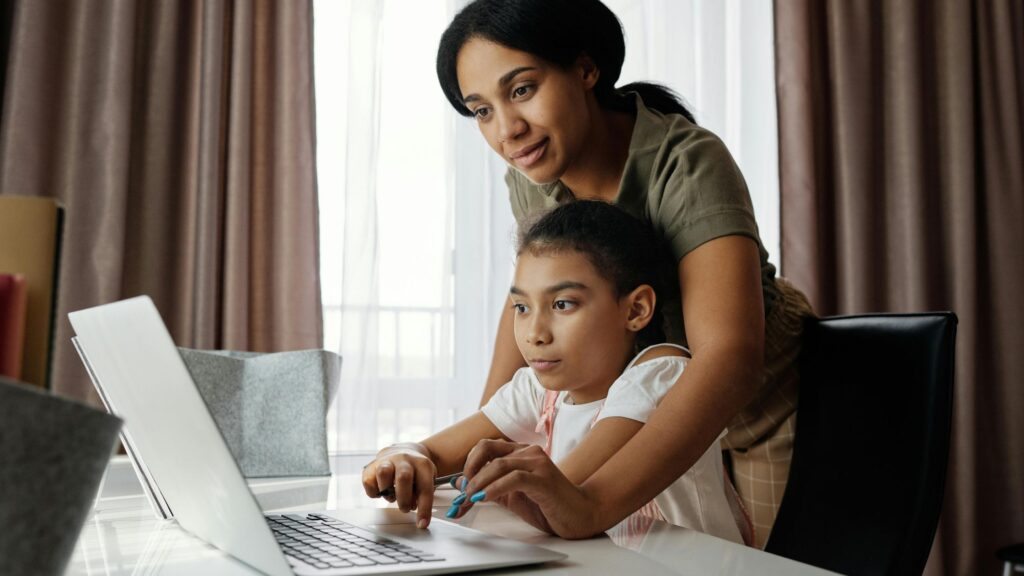
Overview of teletherapy for learning challenges
Teletherapy has changed how students get help with learning challenges. It uses technology to connect students with therapists from far away.
Defining Teletherapy and Its Modality
Teletherapy is a way to give therapy services using the internet. It lets students talk to therapists through video calls. This works for many types of therapy, like speech, occupational, and mental health.
Students can join sessions from home or school. They use computers, tablets, or phones to connect. Therapists can see and hear the students in real-time.
Teletherapy can include:
- Live video chats
- Interactive games and activities
- Shared screens for worksheets
- Recorded sessions for practice
Evolution of Teletherapy for Learning Challenges
Teletherapy for students has grown a lot in recent years. At first, it was mainly used in rural areas where therapists were hard to find. Now it’s common in many schools.
New tech has made teletherapy for learning challenges better. Faster internet and better video quality help sessions feel more like in-person therapy. Special apps for therapy have also been created.
Schools now use teletherapy for:
- Speech therapy
- Counseling
- Occupational therapy
- Assessments
The COVID-19 pandemic pushed more schools to try teletherapy for learning challenges. Many found it worked well and kept using it. This has helped more students get the support they need.
Understanding Learning Challenges
Learning challenges can make school tough for many kids. They affect how students learn and do in class. Let’s look at the main types, how they impact grades, ways to spot them, and laws about helping students.
Types of Learning Challenges
Learning challenges come in different forms. Some common ones are:
- Dyslexia: Makes reading hard
- Dyscalculia: Causes math problems
- ADHD: Makes it hard to focus
- Dysgraphia: Affects writing skills
Kids may have one or more of these. Each type needs its own help. Some students struggle with memory or processing speed too.
Impact on Academic Performance
Learning challenges can hurt grades and test scores. Kids may:
- Fall behind in reading or math
- Have trouble finishing work on time
- Feel frustrated or give up easily
- Avoid certain subjects or tasks
This can lead to low self-esteem about school. But with the right support, students can improve and succeed.
Identifying the need of teletherapy for Learning Challenges
Spotting learning challenges early is key. Signs to watch for include:
- Slow progress in reading or writing
- Trouble following directions
- Poor memory or focus
- Messy handwriting
- Math mistakes
Teachers often notice these first. Parents may see struggles with homework. A full test by a specialist can pinpoint exact issues.
Legal Considerations in using teletherapy Learning Challenges
Laws protect students with learning challenges. Key things to know:
- IDEA requires schools to provide special education
- Section 504 ensures equal access to learning
- IEPs spell out needed supports and services
- Schools must use proven teaching methods
You have the right to request testing. Schools should work with you to make a plan. The goal is to help every student learn and thrive.
The Tech needed in teletherapy for Learning Challenges
Teletherapy relies on various digital tools and equipment to connect students with therapists remotely. These technologies enable effective communication and treatment delivery in virtual settings.
Software and Platforms
Video conferencing apps like Zoom, Google Meet, and Microsoft Teams are common for teletherapy sessions. These platforms offer features like screen sharing, whiteboards, and breakout rooms to facilitate interactive therapy activities.
Specialized teletherapy platforms provide additional tools tailored for remote therapy. These may include:
- Built-in assessment tools
- Progress tracking features
- Interactive games and exercises
- Customizable therapy materials
Some popular teletherapy platforms include TheraNest, SimplePractice, and TheraPlatform. These systems often integrate scheduling, billing, and documentation features to streamline the therapy process.
Hardware and Equipment
A reliable computer or tablet with a good quality camera is essential for teletherapy. Many therapists use external webcams for better video quality. Headphones with a microphone help improve audio clarity and reduce background noise.
Some helpful hardware for teletherapy includes:
- Document cameras for sharing physical materials
- Drawing tablets for interactive activities
- Large monitors or dual screens for better visibility
Stable internet connection is crucial. Ethernet connections often provide more reliability than Wi-Fi for video calls.
Accessibility and Compatibility
Teletherapy technologies need to be accessible to all users, including those with disabilities. Features like closed captioning, screen reader compatibility, and keyboard navigation are important for inclusivity.
Cross-platform compatibility ensures that students can access therapy sessions from various devices. Mobile apps allow for flexibility in session locations.
Some platforms offer low-bandwidth modes for users with slower internet connections. This helps maintain session quality in areas with limited internet access.
Data security is vital in teletherapy. Look for platforms that use encryption and comply with privacy regulations like HIPAA to protect sensitive information.

Instructional Strategies for Teletherapy
Effective teletherapy requires adapting teaching methods, fostering engagement, and providing timely feedback. These strategies help create a supportive virtual learning environment for students with diverse needs.
Adapting Teaching Methods
Use visual aids like digital whiteboards and screen sharing to explain concepts. Break lessons into shorter segments to match online attention spans. Provide clear, step-by-step instructions for activities.
Offer multiple ways to access materials, such as text, audio, and video. This helps students with different learning styles. Create interactive presentations to keep students focused.
Use virtual manipulatives and online simulations to demonstrate ideas. These tools can replace hands-on activities typically done in person.
Engagement and Interaction
Start sessions with icebreaker activities to build rapport. Use polls, quizzes, and chat features to boost participation. Encourage students to use reaction buttons to show understanding.
Plan movement breaks or quick games between tasks. This helps maintain energy and focus. Create small group breakout rooms for peer discussions and collaborative work.
Use gamification elements like point systems or digital badges to motivate students. Assign roles during group activities to keep everyone involved.
Assessment and Feedback
Use online tools to create and administer quizzes. These provide instant results and help track progress. Implement digital portfolios for students to showcase their work over time.
Offer real-time feedback during screen sharing sessions. Use annotation tools to highlight areas for improvement. Record sessions for students to review later and reinforce learning.
Set up virtual office hours for one-on-one check-ins. This allows for personalized feedback and support. Use rubrics shared on-screen to guide self-assessment and peer evaluation.
Role of Support Staff in Teletherapy
Support staff play a key part in making teletherapy work well for students with learning challenges. They help with training, work with teachers and therapists, and get parents involved.
Training and Skills Development
Support staff need good training to help with teletherapy. They should learn how to use online tools and platforms. This includes video chat software and digital learning materials.
Staff also need to know how to help students stay focused during online sessions. They can learn ways to keep kids engaged and interested.
It’s important for support staff to understand privacy rules for online therapy. They must know how to keep student information safe and secure.
Regular practice sessions can help staff feel more comfortable with teletherapy. This lets them try out new skills in a low-pressure setting.
Collaborating with Educators and Therapists
Support staff work closely with teachers and therapists in teletherapy. They often help set up and run online sessions.
Staff might assist with:
- Scheduling therapy appointments
- Making sure students log in on time
- Helping fix technical problems
They also share important info about how students are doing. This helps therapists adjust their plans to fit each student’s needs.
Support staff can join team meetings to talk about student progress. They give useful feedback on what’s working well and what needs to change.
Involving Parents and Caregivers
Support staff help get parents and caregivers involved in teletherapy. They explain how online sessions work and why they’re important.
They might teach parents how to:
- Set up the right space for therapy at home
- Use the needed technology
- Help their child stay focused during sessions
Staff can send reminders about upcoming teletherapy appointments. They also share tips on how to practice skills between sessions.
Support staff act as a link between families and therapists. They can pass along questions or concerns from parents to the therapy team.

Building an Inclusive Virtual Classroom
Creating a welcoming online space is key for student success. Use friendly greetings and show your face on video to add a personal touch. This helps students feel more comfortable joining your virtual class.
Adapt your teaching materials for different learning styles. Include visual aids, interactive content, and multiple formats to make lessons accessible to all students. This ensures everyone can engage with the material.
Encourage participation from all students. Use chat features, polls, and breakout rooms to give quieter students a chance to share their thoughts. Mix up the ways students can contribute to discussions.
Set clear expectations for online behavior. Create guidelines for respectful communication and sharing. This helps foster a safe environment where students feel comfortable speaking up.
Be flexible with assignments and deadlines. Some students may face learning challenges with technology or home environments. Offer alternatives when needed to support all learners.
Use closed captions and transcripts for video content. This helps students who are deaf or hard of hearing, as well as those who process information better through text.
Check in regularly with students individually. Ask how they’re doing and if they need any extra support. Building these connections helps create a more inclusive classroom community.
Monitoring and Tracking Progress
Tracking student progress is key for virtual learning success. Regular check-ins and data collection help you adjust goals and methods as needed.
Setting and Evaluating Goals
Set clear, measurable goals for each student. Break big goals into smaller steps. Use a mix of short-term and long-term targets. Review goals often – weekly or monthly.
Track progress with tests, work samples, and observations. Keep detailed notes on what works well and what doesn’t. Use digital tools to graph progress over time.
Celebrate small wins to keep students motivated. Adjust goals if they’re too easy or hard. Work with students to set new goals as they improve.
Data Privacy and Security
Protect student info when tracking progress online. Use secure, encrypted platforms for storing data. Limit access to only those who need it. Train staff on data safety rules. Use strong passwords and two-factor login. Don’t share student info over email or chat apps.
Follow all school and legal privacy rules. Get parent consent for data collection. Delete old data you don’t need anymore. Back up progress data often. Have a plan for what to do if there’s a data breach. Keep families informed about how you protect their child’s info.

Challenges and Limitations of Virtual Support and teletherapy
Virtual support for learning challenges faces several key obstacles. These include tech issues, cultural barriers, and unequal access to resources. Each factor can impact the effectiveness of online learning and therapy services.
Technological Barriers
Slow internet speeds can disrupt virtual sessions. Video calls may freeze or drop, making it hard to communicate. Some students lack devices needed for online learning. Older computers or tablets may not support newer software.
Tech problems can frustrate students and therapists alike. It’s tough to focus when you’re dealing with glitchy audio or video. Younger kids may struggle to use complex platforms without help. Schools need IT support to fix tech issues quickly. Training on virtual tools is key for both staff and students.
Cultural and Social Considerations
Not all homes provide quiet spaces for therapy sessions. Background noise or family distractions can interfere. Some cultures view therapy as private, making it awkward to do at home.
Body language and facial cues are harder to read on screen. This can impact rapport-building between therapists and students. Group activities may feel less natural in a virtual setting. Language barriers can be more challenging online. Interpreters may not be as readily available for virtual sessions.
Addressing Disparities in Access
Low-income families often lack high-speed internet or devices. This creates a gap in who can use virtual services. Rural areas may have limited broadband options.
Students with disabilities may need special tech tools. Not all families can afford these adaptive devices. Some areas lack local experts to set up and maintain this equipment.
Schools must find ways to provide equal access. This might mean lending out devices or setting up community internet hubs. Partnering with local groups can help reach underserved populations.
Fostering Continuous Improvement
Teletherapy practices are always changing so you’ll need to keep up with new ideas and methods. This helps you give the best care to support students with learning challenges. Stay updated on the latest research. Read journals and attend online workshops about virtual therapy. This will give you fresh insights to use in your sessions.
Connect with other therapists online. Join forums or social media groups for teletherapy professionals. You can share tips and learn from others’ experiences. Ask for feedback from students and parents. Their input can help you improve your virtual sessions. Use surveys or quick chats to gather their thoughts.
Try new tools and technologies. There are always new apps and platforms for online therapy. Test them out to see if they can make your sessions better. Set goals for yourself. Pick areas where you want to grow as a teletherapist. Track your progress and celebrate when you reach your targets.
Remember, small changes can make a big difference. Even tiny tweaks to your methods can lead to better results for your students.
Frequently Asked Questions
Teletherapy offers many ways to help students with learning challenges. Here are key things to know about virtual support for special education needs.
How does teletherapy for learning challenges address all the different student needs?
Teletherapy uses online tools to help students with various learning needs. For reading issues, therapists can share interactive stories on screen. Math struggles are tackled with virtual manipulatives and whiteboard tools. Speech therapy often uses video calls for practicing sounds and language skills. Occupational therapy may guide students through physical exercises via camera.
What resources are essential for effective teletherapy for students with learning difficulties?
A reliable internet connection is crucial for smooth video sessions. A computer, tablet, or smartphone with a camera and microphone is needed. Therapists use secure video platforms designed for healthcare. They may also use online games, videos, and worksheets made for learning therapy.
Can teletherapy be as effective as in-person therapy for special education needs?
Research shows teletherapy can work well for many students. It allows for regular sessions without travel time. Some kids feel more comfortable in their own homes. Hands-on activities may be harder online. But therapists find creative ways to adapt, like using household items for exercises.
What strategies can parents and educators use at home to support teletherapy for learning challenges?
Set up a quiet space for therapy sessions. Remove distractions like TV or toys. Stay nearby to help with tech issues or activities if needed. Follow up on homework from the therapist. Practice skills between sessions. Keep in touch with the therapist about progress and concerns.
How do professionals tailor virtual learning plans for students with varying needs?
Therapists assess each student’s strengths and challenges. They create custom plans with specific online tools and activities. Goals are set and tracked digitally. Sessions may be adjusted in length or frequency based on attention span. Visual aids, closed captions, or other supports are added as needed.
What are the criteria for assessing the success of teletherapy in education?
Progress toward therapy goals is the main measure. This could be improved test scores, better communication skills, or completing daily tasks more easily. Feedback from students, parents, and teachers is important. Engagement in sessions and completion of at-home practice are also considered.