Online Speech Therapy For Kids: Effective Strategies for sessions
Introducing a child to online speech therapy can feel new. But with the right preparation, tech setup, and support at home, online speech therapy for…
Introducing a child to online speech therapy can feel new. But with the right preparation, tech setup, and support at home, online speech therapy for kids can be just as effective and convenient as in‑person sessions. Online speech therapy is changing how kids get help with talking. It’s like regular speech therapy, but it happens on a computer. You and your child can see and talk to the therapist through video calls.
Getting your child ready for online speech therapy is easy. Tell them about the person they’ll meet and what they’ll do together. You can say it’s like a fun video chat where they’ll play games and learn new words. Online speech therapy works just like in-person sessions, letting the therapist see and hear your child to give good treatment.
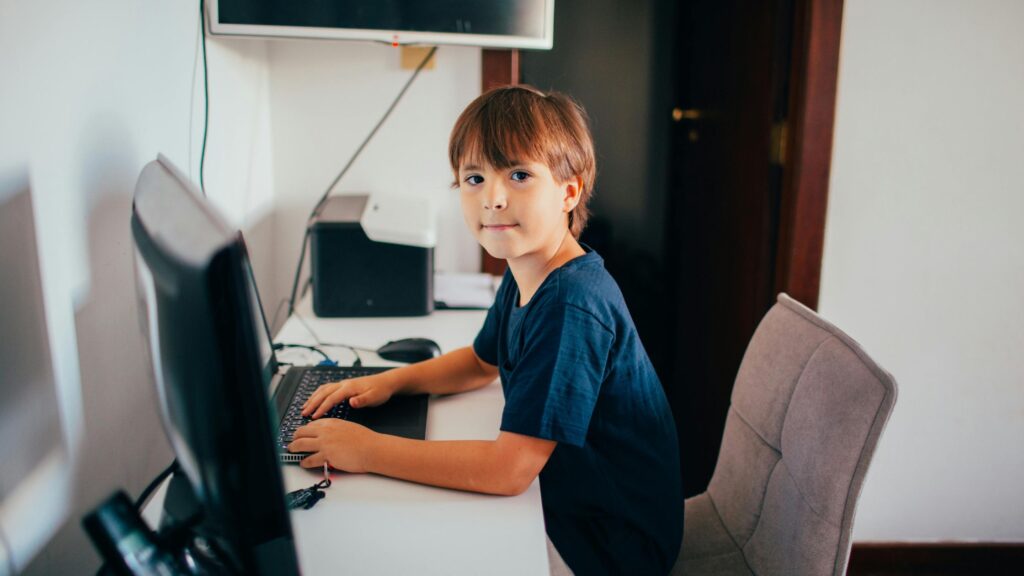
To make online sessions work well, check your internet connection. Have a quiet spot for your child to sit. Keep some toys or objects nearby that the therapist might ask about. With these simple steps, your child can have great online speech therapy sessions and improve their talking skills from home.
Understanding online Speech Therapy
Online speech therapy brings professional help right to your home through technology. It offers a flexible and effective way for kids to improve their communication skills. Let’s explore what it involves, its benefits, and what you need to get started.
Definition and Scope
Online speech therapy is online treatment for speech and language issues. A therapist works with your child through video calls. They use games, activities, and exercises to help your child speak more clearly. The therapist can see and hear your child, just like in an office visit.
This type of therapy works for many speech problems. It can help with pronunciation, fluency, and language skills. Your child might learn new sounds, practice words, or work on speaking in sentences.
Benefits of Online Delivery
Online speech therapy has many plus points. It saves time and money on travel. Your child can get help from the comfort of home. This can make them feel more relaxed and open to learning.
Flexible scheduling is another big benefit. You can often book sessions at times that work best for your family. Many kids find online therapy fun and engaging. They enjoy using computers or tablets for their sessions.
Online therapy also lets parents join in easily. You can watch and learn how to help your child practice between sessions.
Technology Requirements
To start Online speech therapy, you need a few basic things:
- A computer, tablet, or smartphone with a camera
- A good internet connection
- Headphones or speakers
- A quiet space for sessions
Most therapists use simple video call apps like Zoom. They’ll tell you what app to download and how to join the calls. You might also need to print some worksheets or have toys ready for activities.
Make sure your device’s camera and microphone work well. Test them before the first session. A stable internet connection is key for clear video and sound.

Preparing Your Child — Building Comfort and Expectations
Getting ready for Online speech therapy involves a few key steps. These will help ensure your child has a smooth and productive experience.
Assessing Child Readiness
Check if your child can sit still for short periods. This skill is important for online sessions. Try practice video calls with family or friends to get them used to the format. Think about your child’s attention span. Most kids can focus for about 2-5 minutes per year of age. Plan breaks if needed.
Talk to your child about what to expect. Explain they’ll talk to a teacher on the computer who will help them with their speech.
Selecting the Right Platform
Pick a platform that’s easy for you and your child to use. Common options include Zoom, Skype, or specialized speech therapy apps. Make sure you have a stable internet connection. Test the video and audio quality before the first session. Check if the platform has features like screen sharing or interactive games. These can make therapy more engaging for your child.
Setting Up the Home Environment
Choose a quiet space with good lighting. This helps the therapist see and hear your child clearly. Set up a comfy chair and table at the right height for your child. Make sure the computer camera is at eye level. Have materials ready, like paper, crayons, or toys the therapist suggests. Keep water nearby in case your child gets thirsty. Remove distractions like TV or noisy toys. Turn off phone notifications during the session.
Parent & Caregiver Roles — Your Important Part in online Therapy
Parents and caregivers play a key role in Online speech therapy for children. Their involvement helps kids make faster progress and apply new skills at home.
Roles and Responsibilities
Your job as a parent is to be an active partner in your child’s therapy. You’ll join online sessions to learn techniques and see how the therapist works with your child. Between sessions, you’ll practice speech exercises with your child daily.
You’ll also track your child’s progress and share updates with the therapist. This helps the therapist adjust goals and activities as needed. Set up a quiet space at home for therapy sessions. Make sure you have a good internet connection and device with a camera. Help your child stay focused during sessions.
Training and Support
Your child’s therapist will teach you how to do speech activities at home. They’ll show you games and exercises to practice target sounds or language skills. You’ll get handouts and videos with instructions for home practice. The therapist may recommend apps or online resources too.
Ask questions if anything is unclear. Let the therapist know what’s working well or what’s challenging. They can give you more tips or change the approach if needed. Join parent support groups online to connect with other families. You can share ideas and experiences with Online speech therapy.
Structuring Effective Online Speech therapy Sessions
Online speech therapy sessions need careful planning and engaging activities. A clear structure helps kids stay focused. Fun games and tasks keep them interested and make progress.
Designing Session Plans
Start each session with a quick warm-up. This gets the child ready to learn. Pick 2-3 main activities for the session. Mix up the types of tasks to keep things fresh. End with a wrap-up that reviews what you did. Make a visual schedule for the child to see. Use pictures or icons to show each part of the session. This helps kids know what to expect.
Keep activities short, about 5-10 minutes each. Young kids have short attention spans. Be ready to switch gears if something isn’t working.
Interactive Activities for Engagement
Use online games and apps made for speech therapy. Many of these let you share your screen with the child. Try virtual card matching, sorting games, or picture naming tasks. Get creative with everyday items. Ask the child to find objects in their home for a scavenger hunt. Use these items to practice sounds or vocabulary.
Try puppet shows or storytelling. You can use digital puppets or real ones on camera. Let the child help make up stories to practice language skills. Include movement breaks. Simple exercises or dance moves can help kids refocus. Count or say words with each movement for extra practice.
Tracking and Documenting Progress
Take notes during each session. Write down which activities you did and how the child did. Note any new sounds or words the child used. Use a digital progress chart. Share your screen to show the child how they’re improving. This can be a great motivator.
Record short video clips of the child’s speech. Get parent permission first. These clips help you track changes over time. Send a quick summary to parents after each session. List what you worked on and any homework to practice. This keeps everyone on the same page.

Addressing Challenges — Tech Issues, Attention, Motivation
Online speech therapy comes with unique hurdles. You can overcome these issues with the right strategies and mindset.
Overcoming Technical Difficulties
Make sure you have a stable internet connection before each session. Test your camera and microphone in advance. Keep your device charged or plugged in. If you face connection problems, try moving closer to your router. Close other apps and browser tabs to free up bandwidth. Have a backup plan ready. Know how to switch to a phone call if video fails. Keep your speech therapist’s contact info handy.
Maintaining Attention Span
Set up a quiet space for therapy sessions. Remove toys and other distractions from view. Use visual aids like colorful props or digital games to keep your child engaged. Take short breaks if needed. Praise your child’s efforts often. This boosts motivation and focus. Try breaking tasks into smaller, manageable chunks.
Modifying Activities for Individual Needs
Talk to the therapist about your child’s likes and dislikes. This helps tailor activities to their interests. Ask for ways to adapt exercises at home. You might use household items as props or rewards. Be open about what works and what doesn’t. Your feedback helps the therapist adjust their approach.
Try different times of day for sessions. Some kids focus better in the morning, others after a nap.
Professional Development
Speech therapists need ongoing training to provide effective virtual therapy for children. Staying current with best practices and technology helps deliver high-quality care.
Training for Therapists
You can take online courses to learn virtual therapy skills. Many programs offer training on using video platforms, engaging kids remotely, and adapting activities for screens. Look for workshops on topics like:
• Managing attention spans online * Creating interactive digital materials * Troubleshooting tech issues * HIPAA compliance for teletherapy
Practice sessions with colleagues can build your confidence. Record mock sessions to review your skills. Join professional groups to connect with other virtual therapists.
Staying Updated with Best Practices
Online speech therapy changes fast. You need to keep up with new research and methods. Read journals and attend webinars about teletherapy for kids. Follow leaders in the field on social media.
Try out new apps and tools designed for online therapy. Test them before using with clients. Ask for feedback from kids and parents to improve your approach. Share tips with other therapists in online forums. Set aside time each month to review your methods. Look for ways to make sessions more fun and effective. Small tweaks can make a big difference in results.
Measuring Success in online speech therapy
Tracking progress and gathering feedback are key to evaluating Online speech therapy for children. These methods help determine if the therapy is working and where improvements can be made.
Outcome Metrics
Set clear goals at the start of therapy. Track the child’s speech and language skills over time. Use standardized tests to measure progress objectively. Compare scores before and after therapy sessions. Keep a record of new words learned and sounds mastered. Note improvements in sentence structure and grammar. Track how often the child uses their new skills in daily life.
Create a chart to show progress visually. This can motivate both you and your child. Celebrate small wins along the way.
Feedback Mechanisms
Ask your child how they feel about the virtual sessions. Do they enjoy them? Are they comfortable with the therapist?
Watch for signs of engagement during therapy. Does your child seem interested and focused? Or do they get distracted easily?
Talk to teachers about any changes they notice in your child’s communication at school. Ask family members if they see improvements at home. Use surveys or rating scales to gather feedback from you and your child. This can help identify what’s working well and what needs to change.
Legal and Ethical Considerations
Online speech therapy requires careful attention to legal and ethical issues. You need to protect your child’s privacy and ensure the therapist is properly licensed.
Confidentiality and Privacy
Your child’s privacy is crucial in Online speech therapy. Use a secure, HIPAA-compliant platform for sessions. Ask the therapist about their data protection practices. Make sure they store records safely and limit access to authorized staff only.
Don’t share session links or passwords. Find a private space at home for therapy sessions. Use headphones to keep conversations private. Be careful about what’s visible on camera.
Licensing Across Jurisdictions
Speech therapists need proper licenses to treat patients. For virtual therapy, this can get tricky across state lines. Check that your therapist is licensed in both their state and yours. Some states have special rules for telehealth. Ask about “telepractice” licenses. Make sure the therapist knows the rules in your area. They should explain how they comply with regulations.
You may need to sign forms allowing out-of-state treatment. Keep records of the therapist’s credentials and licenses.
Frequently Asked Questions
Online speech therapy can be highly effective for children when done properly. Parents play a key role in supporting their child’s progress. Certain activities and tools work especially well in the online format.
What types of activities are most effective in Online speech therapy for young children?
Interactive games and visual aids work great for Online speech therapy. Digital storybooks allow therapists to work on language skills. Online drawing tools help practice following directions. Video modeling lets kids watch and imitate proper speech sounds.
How can parents support their toddlers’ speech development at home?
You can read aloud to your toddler daily. Sing songs and nursery rhymes together. Narrate your actions as you go about your day. Respond to your child’s attempts at communication. Give them plenty of chances to practice talking.
What are some engaging online games that support speech therapy goals for preschoolers?
Many apps focus on specific speech skills. Some popular options include Articulation Station, Speech Blubs, and Phonics Genius. Interactive websites like ABCya and Starfall offer fun language activities. Video chat games like I Spy or Simon Says work well too.
Are there specific strategies for conducting successful telehealth speech therapy sessions with children?
Keep sessions short, around 20-30 minutes. Use lots of visual aids and props. Give frequent breaks. Have a parent nearby to help as needed. Make activities fun and game-like. Be flexible and adjust based on the child’s mood and attention span.
How does the efficacy of Online speech therapy compare to in-person sessions for young children?
Studies show Online speech therapy can be just as effective as in-person therapy for many children. The key is having engaged parents and consistent practice between sessions. Some kids even prefer the online format. Virtual therapy allows for more frequent, shorter sessions.
What essential tools or resources do parents need for at-home speech therapy for their children?
You’ll need a device with a good camera and microphone. Fast, reliable internet is important. Basic craft supplies like paper and crayons come in handy. Some small toys or objects for naming practice are useful. A quiet space for sessions helps minimize distractions.