Simple Ways of Managing Teletherapy Sessions
Managing teletherapy sessions starts with intentional planning around technology, environment, and structure so you and your clients can focus on the therapeutic work. But to get…
Managing teletherapy sessions starts with intentional planning around technology, environment, and structure so you and your clients can focus on the therapeutic work. But to get the most out of your sessions, you need to manage the quality.
Good session quality starts with your tech setup. Use a stable internet connection, a good webcam, and a clear microphone to avoid glitches and make sure you can see and hear each other well. This helps you focus on the therapy instead of tech issues.
Your space matters too. Pick a quiet, private spot where you won’t be disturbed. Make sure it’s well-lit so your therapist can see you clearly. These simple steps can make a big difference in how much you get out of each session. With some planning, you can have great teletherapy sessions that help you grow and feel better.

Understanding Teletherapy sessions
Teletherapy uses technology to provide mental health services remotely. It offers flexibility and access but comes with unique challenges around privacy and engagement.
Definition and Scope
Teletherapy is therapy provided through video calls, phone, or text. It covers many types of mental health treatment, including individual, couple, and group therapy. You can access teletherapy from home or any private space with an internet connection.
Therapists use secure platforms to meet with clients virtually. Sessions typically last 45-60 minutes, just like in-person therapy. Teletherapy can address issues like anxiety, depression, relationships, and more.
Benefits and Challenges
Teletherapy offers many advantages. You save time and money on travel. It’s easier to fit sessions into busy schedules. People in rural areas can access care that may not be available locally.
There are also hurdles to overcome. Technical issues can disrupt sessions. It may be harder to read body language through a screen. Finding a quiet, private space at home can be tricky.
Privacy is crucial. Use headphones and a secure internet connection. Make sure others can’t overhear your session. Let your therapist know if you have concerns about confidentiality.
Setting Up the Environment
A good setup is key for effective teletherapy. You need the right tech, a private space, and proper lighting and sound.
Choosing the Right Platform
Pick a secure, HIPAA-compliant platform for your sessions. Zoom for Healthcare, Doxy.me, and VSee are good options. Make sure your internet is fast and stable. Aim for at least 10 Mbps speed. Test your connection before sessions.
Have a backup plan ready. This could be a different device or switching to a phone call. Let clients know what to do if tech issues come up.
Learn how to use your chosen platform well. Practice with a colleague or friend. Know how to adjust settings, share screens, and troubleshoot common problems.
Creating a Confidential Space
Find a quiet, private room for your sessions. Make sure others can’t overhear you. Use a white noise machine or app outside your door if needed.
Set up your space to look professional. Have a plain background or a tidy bookshelf behind you. Remove personal items from view.
Ask clients to find a private spot too. Suggest they use headphones and close doors. Remind them not to have sessions in public places.
Managing Sound and Lighting
Good lighting is a must. Face a window or use a desk lamp in front of you. Avoid bright lights behind you, which can create glare.
Use a good quality microphone. Built-in laptop mics often pick up too much background noise. A headset or USB mic can improve sound.
Test your audio before each session. Ask clients if they can hear you clearly. Adjust your mic settings if needed.
Reduce echo by adding soft items to your room. Carpets, curtains, and wall hangings can help absorb sound.
Establishing Protocols in telethe rapy Sessions
Setting up clear protocols for teletherapy sessions helps create a smooth and effective experience. These guidelines ensure both therapists and clients know what to expect and how to handle different situations.
Setting Expectations
Tell clients about session length and frequency upfront. Let them know how to join the video call and what to do if there are tech issues. Explain the importance of finding a quiet, private space for sessions.
Ask clients to be ready on time and stay focused during the call. Encourage them to treat online therapy like in-person sessions. Share tips on minimizing distractions, like turning off phone notifications.
Clarify your policies on cancellations, rescheduling, and payment. This helps avoid misunderstandings later on.
Privacy and Security Measures
Use a secure, HIPAA-compliant video platform for sessions. Make sure your internet connection is strong and reliable.
Ask clients to use headphones for better sound quality and privacy. Remind them not to record sessions without permission.
Lock your office door during sessions if you’re working from home. Use a white noise machine outside your door for extra privacy.
Explain how you’ll protect client information and follow data privacy laws. This builds trust and shows you take confidentiality seriously.
Contingency Planning
Have a backup plan for tech problems. Give clients your phone number to use if the video call drops. Know how to troubleshoot common issues like poor audio or frozen video.
Decide what to do if a client is in crisis during a session. Have emergency contact info and local resources ready.
Make a plan for power outages or internet failures. Consider having a backup device like a tablet with cellular data.
Tell clients what will happen if you get sick or have an emergency. Let them know how you’ll handle rescheduling in these cases.
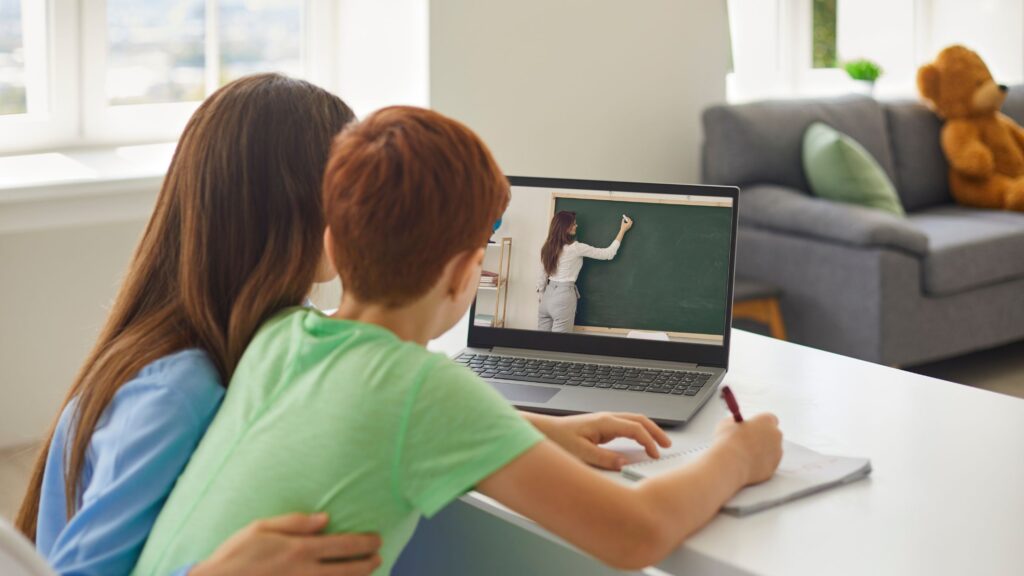
Enhancing Client Engagement in Teletherapy Sessions
Keeping clients engaged during teletherapy sessions is key to their success. Use these tips to boost participation and connection in your virtual sessions.
Building Rapport Online
Start each session with a quick check-in. Ask how your client’s day is going or what’s new since last time. This helps them feel heard and sets a positive tone.
Use warm body language, even on screen. Smile, nod, and maintain eye contact with the camera. This shows you’re listening and care about what they’re saying.
Share brief personal anecdotes when appropriate. This builds trust and helps clients see you as a real person.
Try icebreaker activities for new clients. Simple games or questions can ease nerves and create a friendly vibe.
Utilizing Interactive Tools
Use screen sharing to show visuals or videos that relate to your discussion. This adds variety and helps explain complex ideas.
Try digital whiteboards for brainstorming or goal-setting. Clients can add their own notes or drawings, making the session more collaborative.
Use polls or quizzes to gather info or test knowledge. This makes learning more fun and gives you instant feedback.
Share helpful apps or websites during the session. Teach clients how to use these tools on their own between meetings.
Monitoring Client Feedback
Pay close attention to your client’s tone and facial expressions. These can tell you a lot about how they’re feeling.
Ask for feedback regularly. Simple questions like “How was today’s session for you?” can give valuable insights.
Use rating scales to track progress. Ask clients to rate their mood or symptoms from 1-10 at the start and end of each session.
Send short surveys after sessions to get more detailed feedback. Use this info to improve future meetings.
Watch for signs of distraction or boredom. If you notice this, switch up your approach or take a quick break.
Technical Considerations for Teletherapy Sessions
Good technology is key for smooth teletherapy. You need a strong internet connection, reliable devices, and the right software. It’s also important to know how to fix common tech issues.
Internet Connection and Bandwidth
A fast, stable internet connection is crucial for teletherapy. You should aim for at least 10 Mbps download and 5 Mbps upload speeds. Use a wired connection if possible, as it’s more reliable than Wi-Fi.
Test your internet speed before sessions. Have a backup plan, like a mobile hotspot, in case your main connection fails. Close other programs and ask others in your home to limit internet use during sessions.
Consider using a virtual private network (VPN) for added security. This helps protect sensitive patient information.
Hardware and Software Reliability
Choose a device with a good camera, microphone, and speakers. A computer or tablet usually works better than a smartphone. Make sure your device is fully charged or plugged in during sessions.
Pick video conferencing software made for healthcare. Some options are Zoom for Healthcare, Doxy.me, or VSee. These platforms offer features like screen sharing and secure file transfer.
Update your software regularly. This helps fix bugs and improve security. Always have a backup device ready in case your main one fails.
Technical Support and Training
Learn how to use your teletherapy tools well. Take online courses or watch tutorials about your chosen software. Practice with a colleague before your first patient session.
Create a troubleshooting guide for common issues. This might include steps to fix audio problems or reconnect if the call drops. Share this guide with your patients too.
Have tech support contact info handy. Know who to call if you can’t fix an issue yourself. Some teletherapy platforms offer their own support teams.
Set up your workspace for easy tech access. Keep chargers, extra devices, and how-to guides within reach during sessions.
Legal and Ethical foundations for Teletherapy Sessions
Teletherapy comes with important legal and ethical duties. You need to follow rules to protect clients and provide good care. These include getting consent, keeping information private, and having the right licenses.
Informed Consent
You must get informed consent from clients before starting teletherapy. Tell them about:
• How online sessions work * Possible risks and limits of virtual therapy * Your qualifications and fees * What to do if technology fails
Use simple forms clients can easily read and sign online. Make sure they know they can ask questions. Update consent forms if you change how you do teletherapy.
Confidentiality and Data Protection
Keep client info private and safe. Use secure video platforms made for healthcare. Turn on all privacy settings.
Don’t record sessions without client permission. Store notes and records safely with password protection. Follow HIPAA rules if you’re in the U.S.
Be careful about your space during sessions. Make sure others can’t see or hear your screen. Tell clients to find a private spot too.
Cross-Jurisdictional Licensing
Check if you can legally treat clients in other states or countries. Many places require a local license to provide therapy there.
Know the rules where your clients live. Some areas have special teletherapy laws. You might need extra training or permits.
If you can’t legally treat someone, refer them to a local therapist. Keep up with changing laws about online therapy across borders.

Professional Development in Teletherapy Sessions
Keeping your skills sharp is key for delivering quality teletherapy. Focus on staying current with best practices, connecting with peers, and ongoing learning.
Staying Updated with Best Practices
Read professional journals and attend webinars to stay on top of teletherapy trends. Join online forums where therapists share tips and discuss challenges in virtual sessions. Follow respected experts on social media for quick updates and insights.
Set aside time each week to review new research on teletherapy techniques. This helps you bring fresh ideas to your sessions and solve problems more effectively.
Consider getting certified in teletherapy. Many organizations offer programs to boost your skills and credibility.
Participating in Peer Consultation
Set up regular video calls with other therapists to discuss cases and share advice. This peer support can help you tackle tricky situations and learn new approaches.
Join or start a teletherapy-focused consultation group. Meet monthly to role-play scenarios and give each other feedback on virtual session skills.
Pair up with a more experienced teletherapist as a mentor. They can observe your sessions and offer tips to improve your online presence and engagement.
Continual Learning and Training
Sign up for online courses on topics like digital ethics, virtual rapport-building, and online assessment tools. Many are self-paced, letting you fit learning into your schedule.
Attend virtual conferences focused on teletherapy. These events often feature hands-on workshops where you can practice new skills in real-time.
Take part in simulations that mimic common teletherapy challenges. This helps you prepare for tech issues or difficult client situations before they happen in real sessions.
Stay curious and open to new tools and platforms. Test out different video conferencing features or therapy apps to find what works best for you and your clients.
Evaluating outcomes in Teletherapy Sessions
Tracking and measuring the results of teletherapy sessions is key to providing quality care. Regular assessment helps improve treatment and ensures clients get the most benefit.
Assessing Therapeutic Progress
Use standardized scales to measure client improvement over time. Give short questionnaires at the start of treatment and every 4-6 sessions after. Track symptoms, functioning, and goal progress.
Compare scores to see if the client is getting better. Look for trends in the data. Are symptoms decreasing? Is daily functioning improving?
Discuss the results with clients. Ask for their thoughts on their progress. This helps you adjust the treatment plan if needed.
Client Satisfaction Metrics
Send out satisfaction surveys after sessions. Ask about the client’s experience with the platform and your care. Use a mix of rating scales and open-ended questions.
Sample questions:
- How easy was it to use the video platform?
- Did you feel heard and understood?
- What did you find most helpful about the session?
Review feedback regularly. Look for patterns in the responses. Use this info to make your sessions better.
Quality Improvement Strategies
Record some of your sessions (with client consent). Watch them later to review your techniques. Note areas where you can improve.
Join a peer consultation group. Share challenges and get advice from other therapists. This can give you new ideas to try with clients.
Stay up to date on teletherapy best practices. Take online courses or attend webinars. Learn about new tools and methods to enhance your virtual sessions.
Test different session structures. Try shorter check-ins between longer appointments. See if this helps clients stay on track with their goals.
Frequently Asked Questions
Teletherapy sessions can bring up many questions for both clients and therapists. These common concerns touch on communication, privacy, technology, and creating an effective virtual therapy environment.
What strategies can ensure effective communication in teletherapy sessions?
Use clear audio and video. Pick a quiet space with good lighting. Face the camera directly. Speak slowly and clearly. Ask for clarification if needed. Use nonverbal cues like nodding to show you’re listening.
How can therapists maintain confidentiality during teletherapy sessions?
Use HIPAA-compliant platforms. Wear headphones. Lock your door. Don’t record sessions without consent. Remind clients to find a private space. Have a plan for tech issues that could compromise privacy.
What techniques help in minimizing technical difficulties in Teletherapy Sessions?
Test your setup before sessions. Have a backup internet connection. Close unnecessary programs and browser tabs. Update your device and software regularly. Keep tech support info handy.
How can practitioners create a conducive environment for telehealth consultations?
Choose a quiet, well-lit room. Use a neutral background. Remove distractions. Adjust your camera to eye level. Dress professionally. Make sure your face is clearly visible on screen.
In what ways can therapists enhance client engagement in virtual sessions?
Use interactive tools like screen sharing or whiteboards. Try icebreaker activities. Ask open-ended questions. Give clear instructions for at-home exercises. Follow up on past discussions to show continuity.
What are best practices for preparing clients for successful teletherapy sessions?
Send detailed instructions before the first session. Help clients test their tech. Discuss privacy needs. Set clear expectations. Offer a practice session. Create an FAQ page for common questions.